Conversations Made Easier: CMS and Email Improvements
Oct. 13, 2025
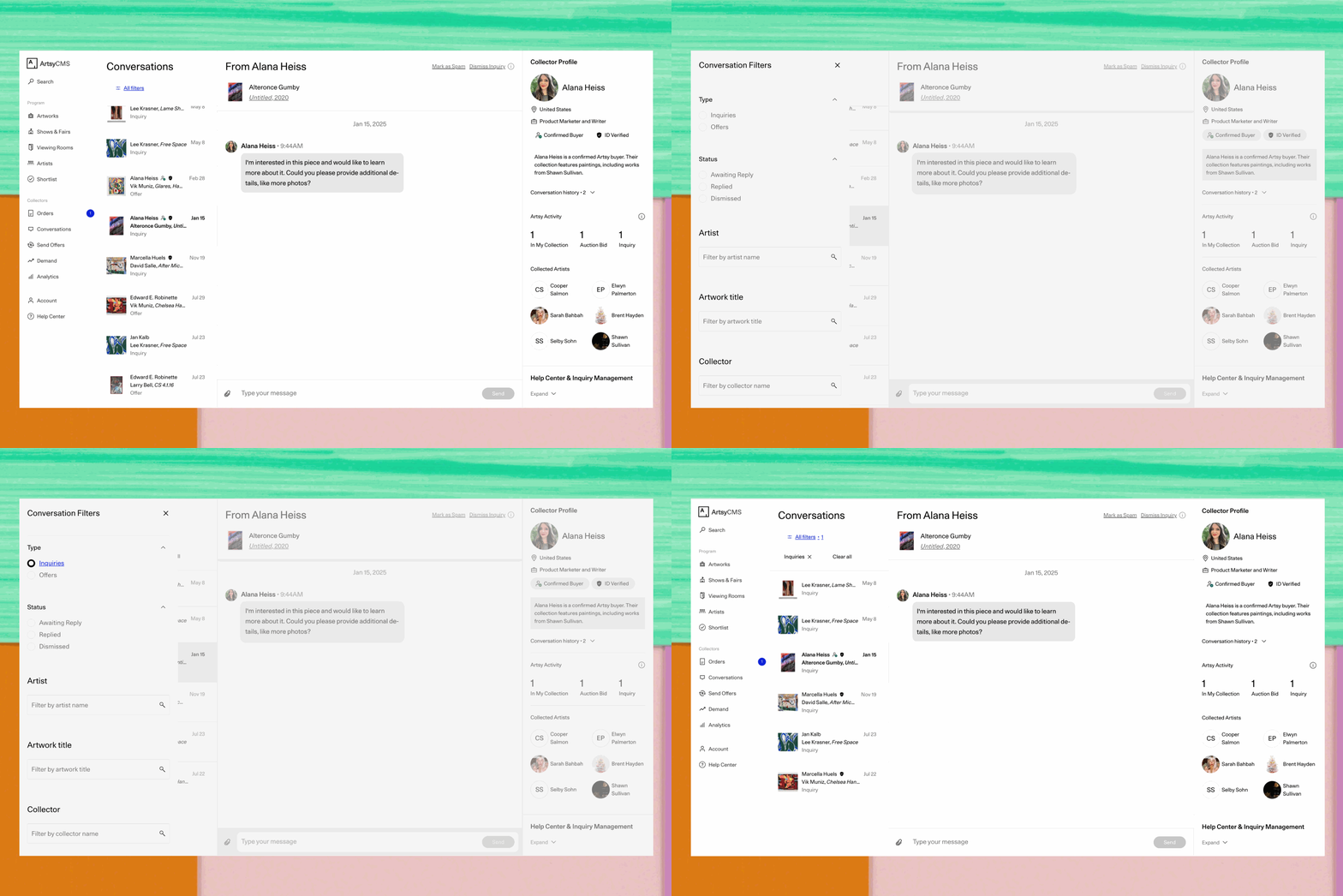
Whether you’re checking messages in CMS or replying straight from your inbox, we’ve made things simpler. These updates help you spot what’s new faster, see more context when a collector reaches out, and keep conversations moving with less effort.
What’s new
In CMS: Conversations Filters and Design Improvements

Find it faster: New filters by Type (Inquiry/Offer), Status (Awaiting reply, Replied, Dismissed), and Artwork title.
Scan at a glance: Clearer preview states show what’s unopened, opened, and what you’re currently reading.
Small fixes, smoother flow: Polished layout (including left-aligned panel) make it easier to triage quickly.
In your inbox: Inquiry and Response Email Updates

Key details up front: Shipping questions, budget, and other info now surface right at the top.
More context when available: Prominent Collector Profile info (name, location, budget) helps you reply in a personal way.
Cleaner design: Easier to read and respond—especially on your phone.
Why it matters
Less hunting. See what’s new without digging.
Faster, more personal replies. Key collector info comes to you, so you can craft a personal response.
Support for different workflows. Whether you reply in CMS or by email, both experiences are now clearer and easier to use.
Get started
Open Conversations in CMS to try the new filters and cleaner preview styling.
Check your inbox—emails from collectors now highlight what matters most.
Share feedback with your Artsy Liaison to help us keep improving.